How Can We Help You?
Alternatively, you can also browse on the topics below to find what you are looking for.
JaGaApp 2.0 Billing
Overview
- How to Make Payment?
How to Make Payment?
1

Tap on billing icon to view your outstanding invoices.
2

Tap on billing banner to make payment.
3
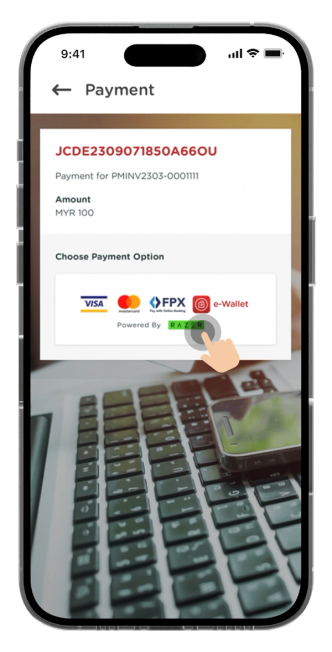
Select available payment option(s).
4

Select payment method and key in the payment details.
5

You will receive a payment notification once the payment is successfully made and it will be updated in the transaction history & statement tab.