How Can We Help You?
Alternatively, you can also browse on the topics below to find what you are looking for.
JaGaApp 2.0 Market
Overview
- Booking a service
- Complete a booking
- Booking List, FAQ & Be A Vendor
Booking a service

Tap on "Market" to get started.
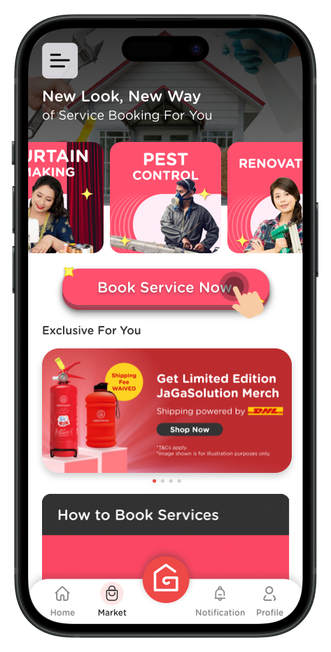
Click on "Book Service Now" button or any service categories and browse for the service you need.
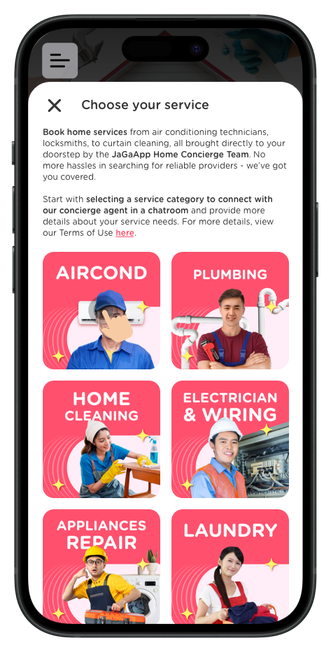
Choose a service you need.
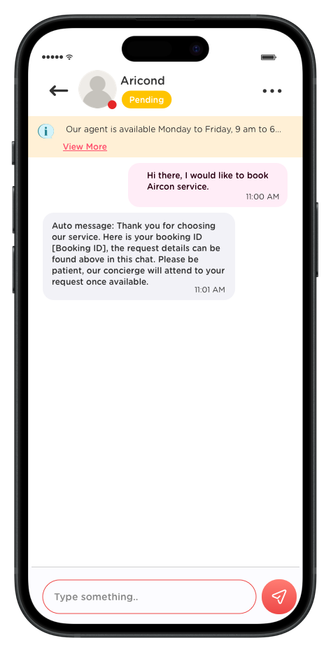
Chat with our dedicated concierge and we'll find the right people for you.

Get the final quotation and make your payment through the app.
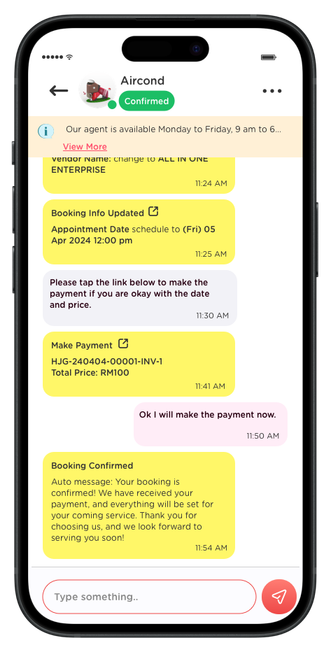
After payment, we'll confirm with the service provider and schedule for you.
Complete a booking

Upon completion of the service, you will receive a notification to mark your booking as completed.

Tap on the "Ok" button to confirm that your booking has been completed by the service provider.
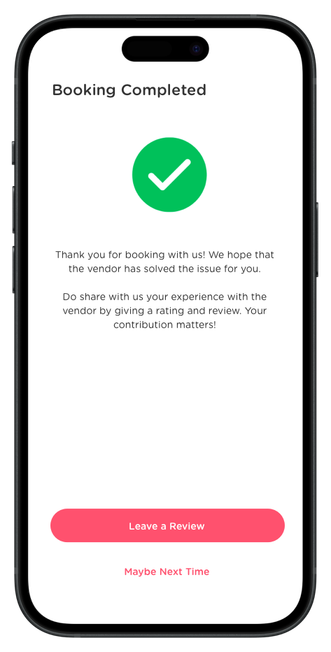
Your booking has been completed now. Share your thoughts with us and feel free to leave a review about your booking.
Booking List, FAQ & Be A Vendor
Tap on "Market" to get started.
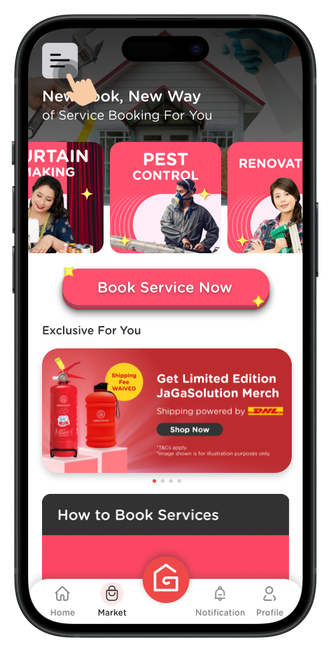
Click on the hamburger menu on the top left corner.

Click on "History" to view your booking list.

Click on "FAQ" to find out more about our JaGaApp Home Concierge.

Click on "Be A Vendor" if you're interested to join our vendor list.