How Can We Help You?
Alternatively, you can also browse on the topics below to find what you are looking for.
JaGaID
Overview
- About JaGaID
- How to scan QR?
- How to get your JaGaID verified?
About JaGaID
1

To find out about JaGaID details click on the "What is JaGaID".
2

To know more about benefits of JaGaID.
How to scan QR?
1
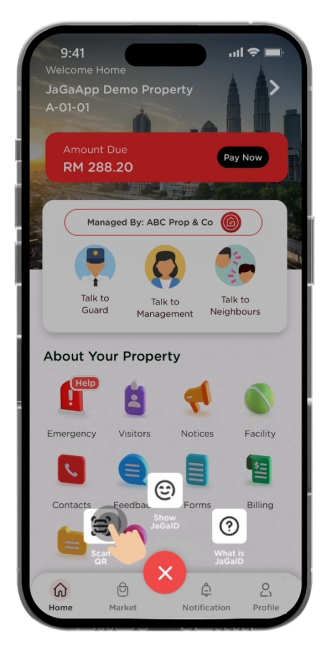
Click on "Scan QR" code to perform self check-in at guard house.
2

Show your JaGaID QR code to guard to check in at the communities.
How to get your JaGaID verified?
1

Click on JaGaID icon and press verify JaGaID.
2

You can get more information on this page. To proceed, click on "Verify Account".
3

Upload both front and back of your driving license. Click on "Take a picture".
4
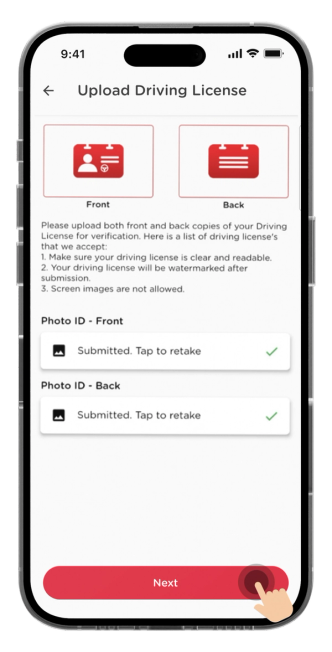
Once you have submitted the front and back of driving license, click "Next".
5

Click on "Take a picture" to upload your selfie photo. Once uploaded, click "Submit".
6

Verification process requires 1 – 3 business days.