How Can We Help You?
Alternatively, you can also browse on the topics below to find what you are looking for.

JaGaApp 2.0 Polling
Overview
- Submitting your vote
- Poll Results
Submitting your vote
1
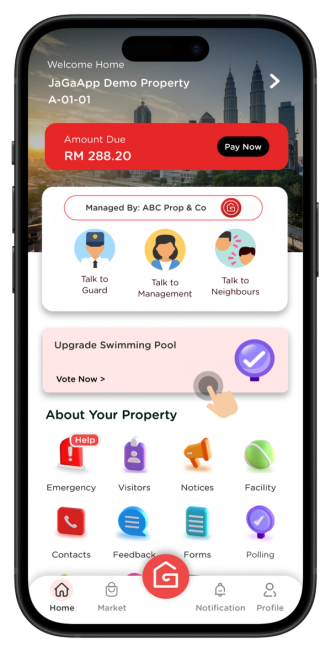
Click on the Polling banner to submit your vote on current polls, or tap Polling to view the poll list.
2

Select your preferred answer(s) and click Submit to proceed.
For mandatory polls, you must submit your vote before exiting the page.
3

Your poll submission has been completed.
Certain polls allow only one vote per house unit, set by Management/Committee settings.
Poll Results
1

To check poll results, click into the polls list and view the poll details page.
Results are only available after the Management Office publishes them following the poll's end date.