How Can We Help You?
Alternatively, you can also browse on the topics below to find what you are looking for.

JaGaApp 2.0 Feedback
Overview
- How to submit Feedback?
How to submit Feedback?
1

To make a feedback to your management, click on "Feedback".
2
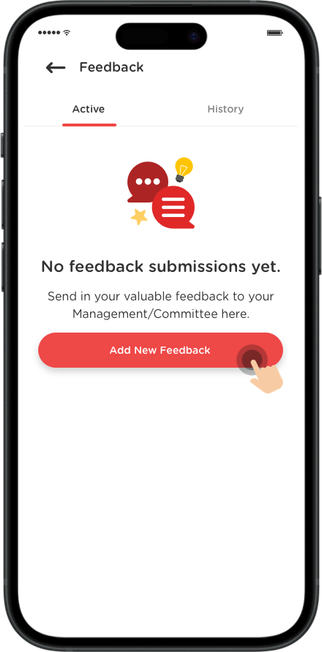
To create a feedback, click on the "Add New Feedback" sign on the bottom right hand side of the screen.
3
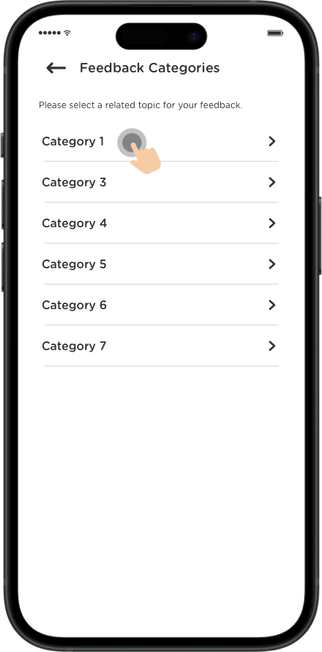
Select a feedback category that you'd like to comment about.
4

Put in Title, Comments (up to 1,500 characters), and attach up to a maximum of 5 photos (5MB), 1 video (10MB), and 3 PDFs (5MB).
5

Once everything is inserted, click on the "Submit" button to submit your feedback.
6

A confirmation message will appear as shown. You can check back your submission details anytime.